

The fundamental difference from SEO
Before diving in, understand what makes AI search different from traditional SEO. With Google, ranking in the top 10 means you get traffic. With AI search, being in the top 20 results is just the first step. You need to be indexed, but being indexed does not guarantee you will be in the answer. The goal is not just to rank. The goal is to be in the answer.If Google has not indexed your page, AI models will almost certainly not find it. Getting indexed is the prerequisite. But indexed does not mean answered.
Start here: Do you show up?
Open your prompt results and check the header metrics: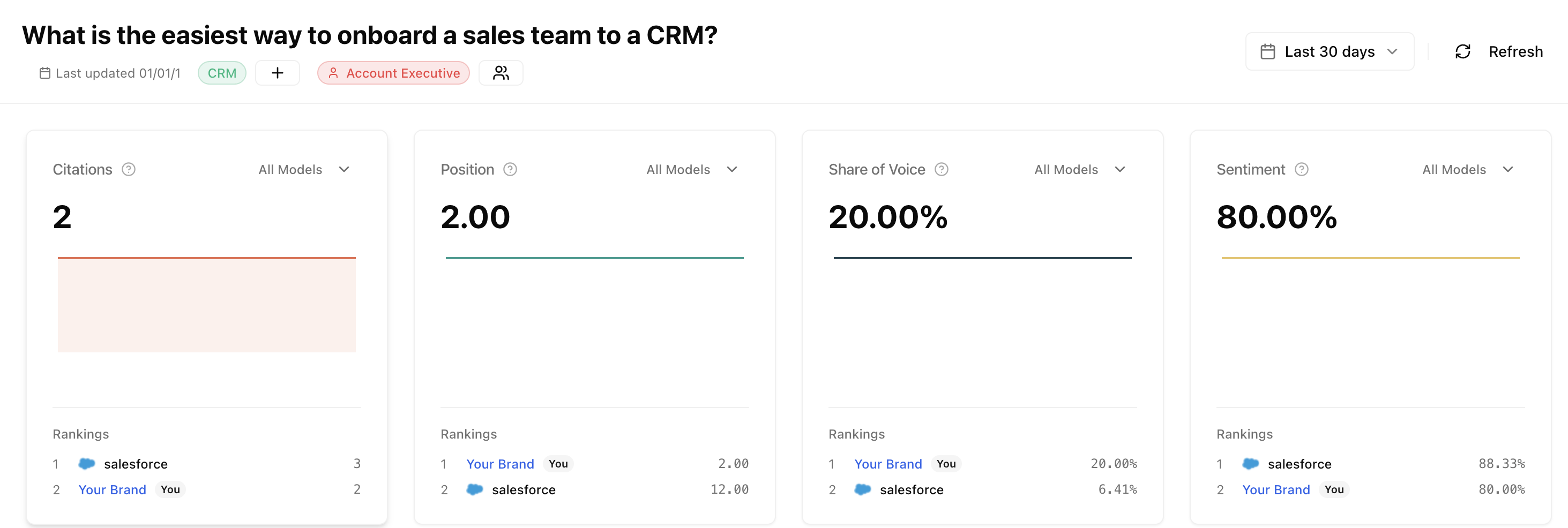
I don't show up
You are not appearing in AI responses for this prompt
I show up but want to win more
You appear but competitors have higher share of voice
If you don’t show up
When you are not appearing in AI responses, start by checking the Improvements section.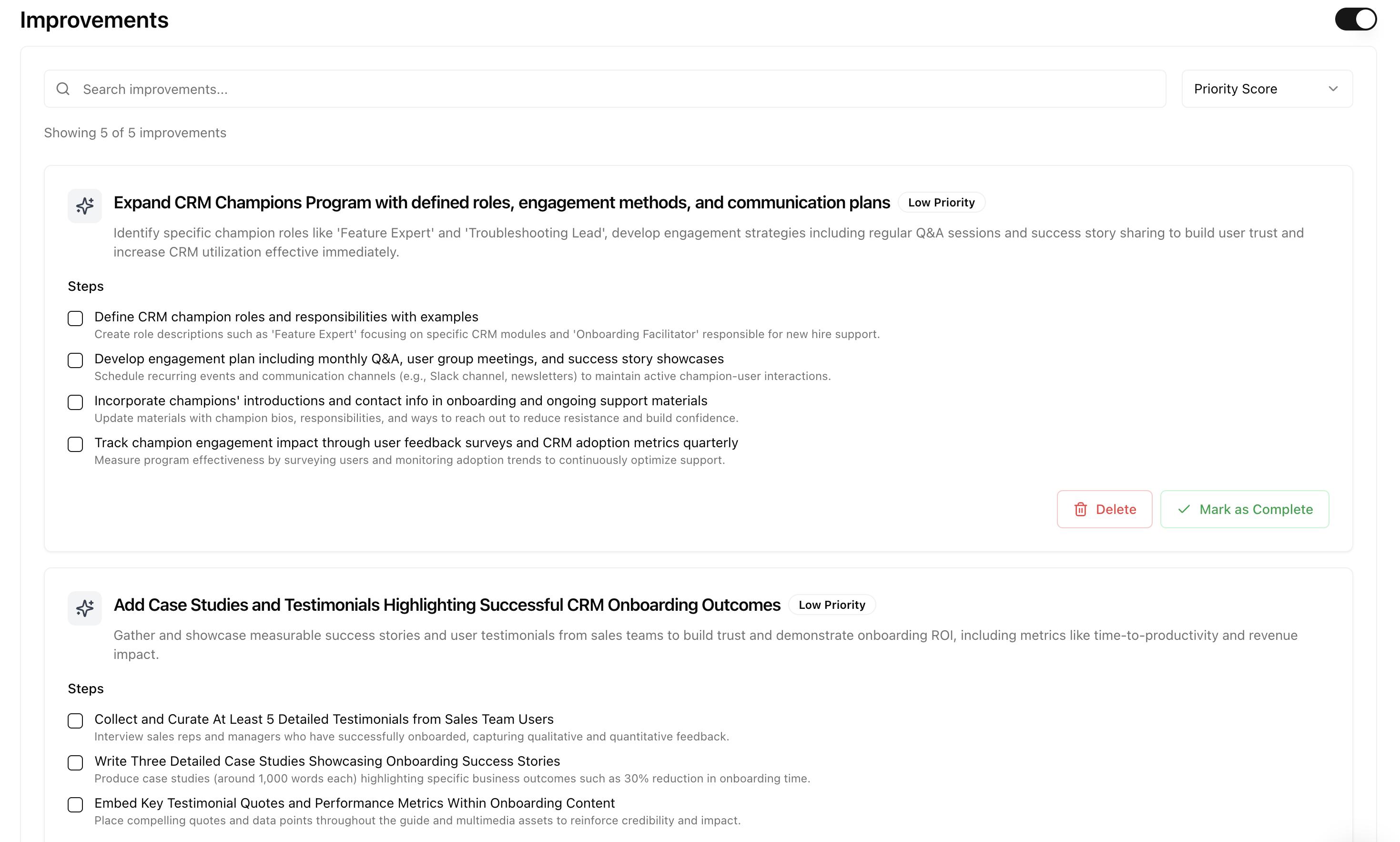
Option 1: Modify an existing page
If you have a page with high similarity score, optimize it.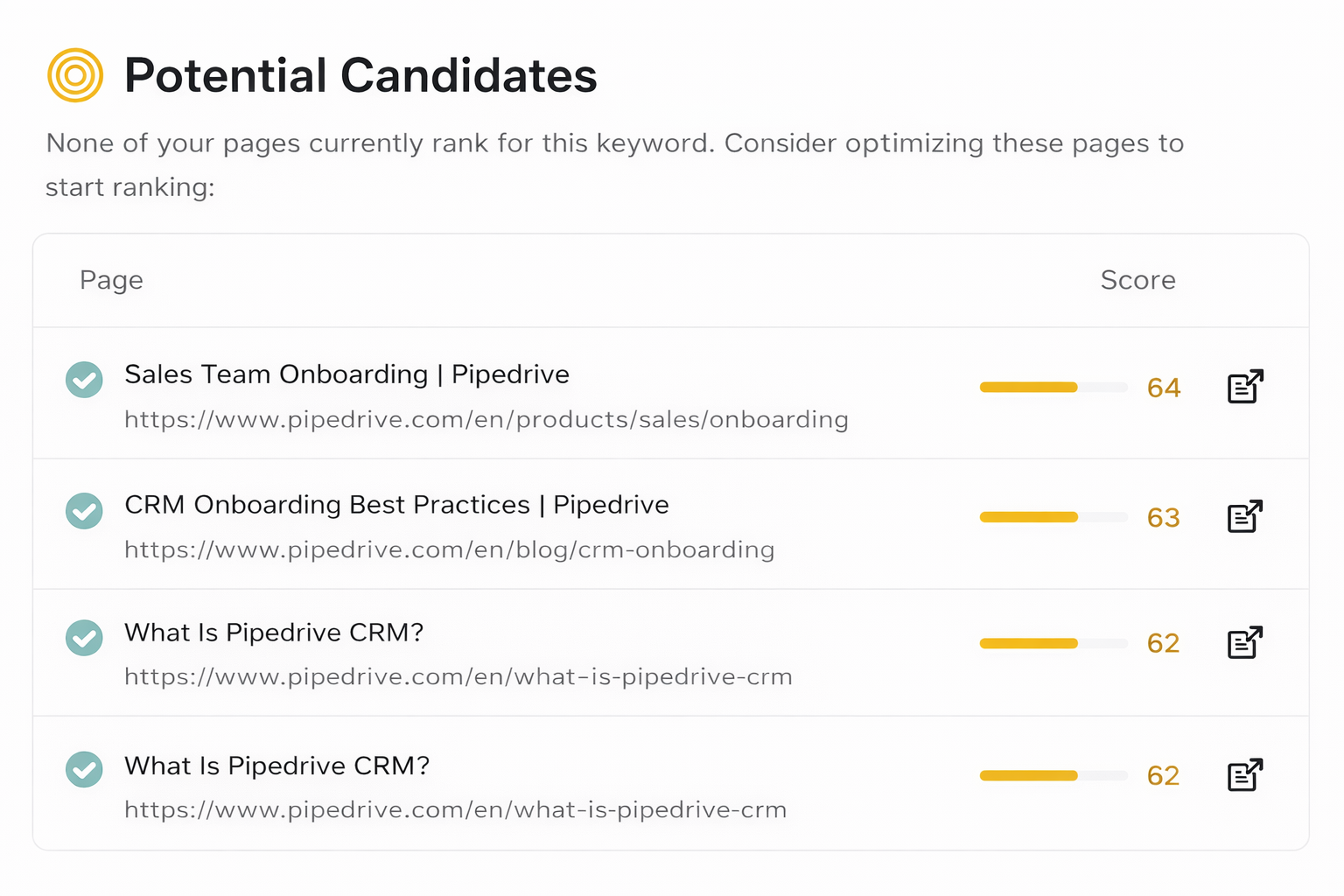
- Click through to see the Sources AI is citing
- Read what those sources cover
- Update your page to match or exceed that depth
- Enable improvements to get specific recommendations
Enable Improvements
Turn on improvements for this prompt. We analyze all the sources AI cited, understand what made them valuable, and give you specific recommendations.
Option 2: Create new content
If you don’t have relevant content (low similarity scores), create it in Studio.1
Open Studio
Go to the content planner
2
Schedule the content
Add it to your calendar and set a target date
3
Click Generate
Studio analyzes the prompt and sources, then generates optimized content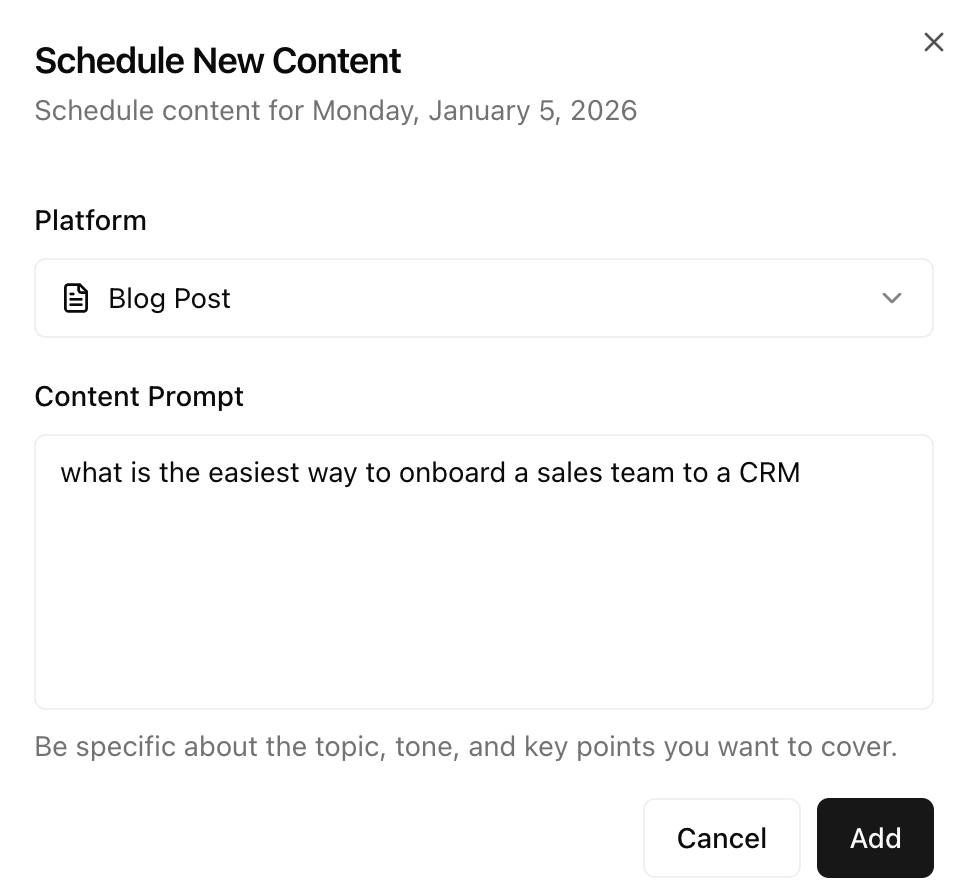
4
Edit and refine
Make final edits in the editor
5
Copy and paste
Export to your CMS and publish
Open Studio
Schedule and generate AI-optimized content
- Answer the prompt question directly and thoroughly
- Go deep on the topic, not broad
- Reference the sources AI is already citing for inspiration
- Bottom of funnel content helps top of funnel prompts too
If you already show up
When you appear but want higher share of voice, your goal is to win market share from competitors.Step 1: Analyze the sources
Open the Sources section in your prompt results and sort by Attribution: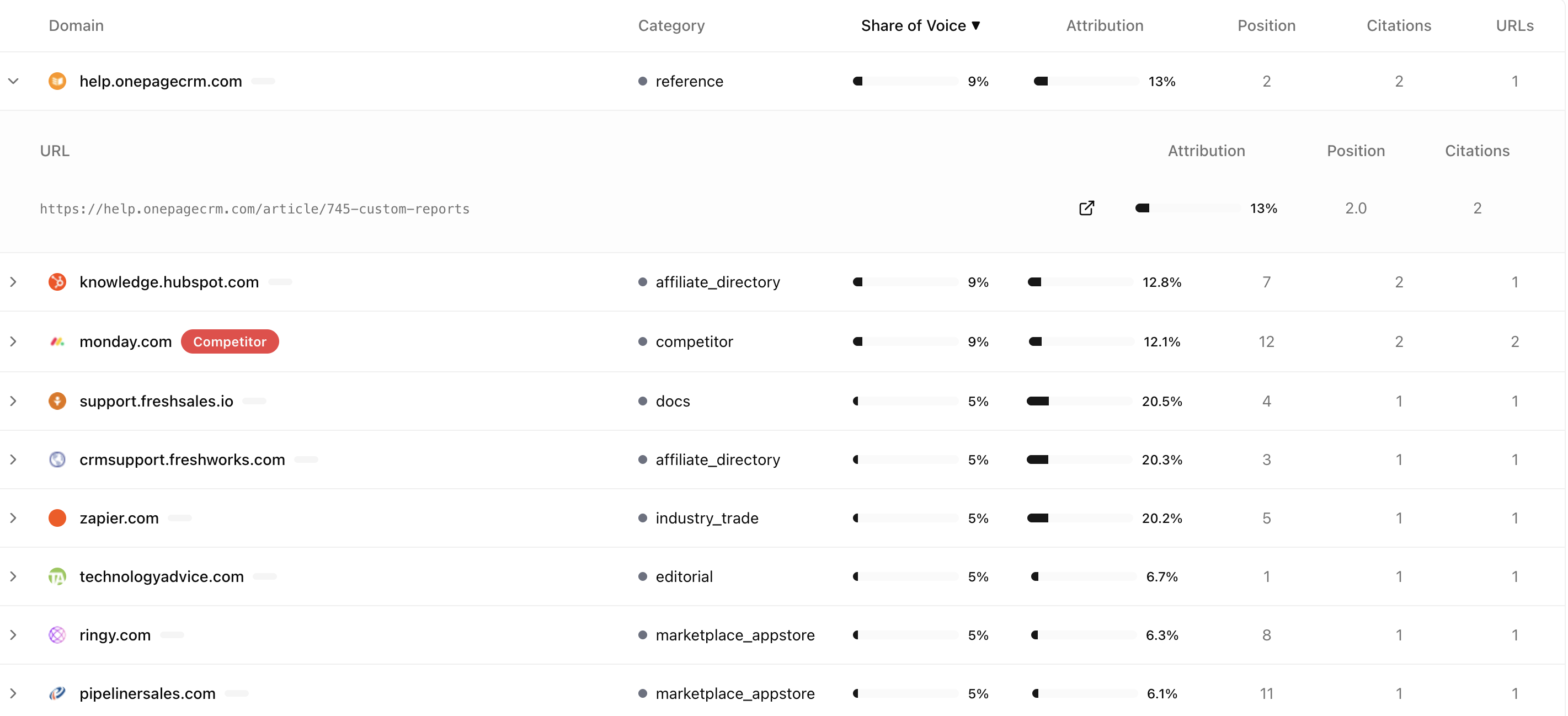
Step 2: Read the high-attribution sources
Click into the sources with highest attribution. These are the ones AI values most.
- What depth do they go into?
- What questions do they answer?
- What structure do they use?
- What are they covering that I am not?
Step 3: Create winning content in Studio
The winning strategy: write better content than everyone else on this specific topic. Use Studio to create it.1
Open Studio and schedule content
Add the content piece to your planner and schedule it
2
Click Generate
Studio creates AI-optimized content based on the prompt and sources
3
Edit in the editor
Review and refine the generated content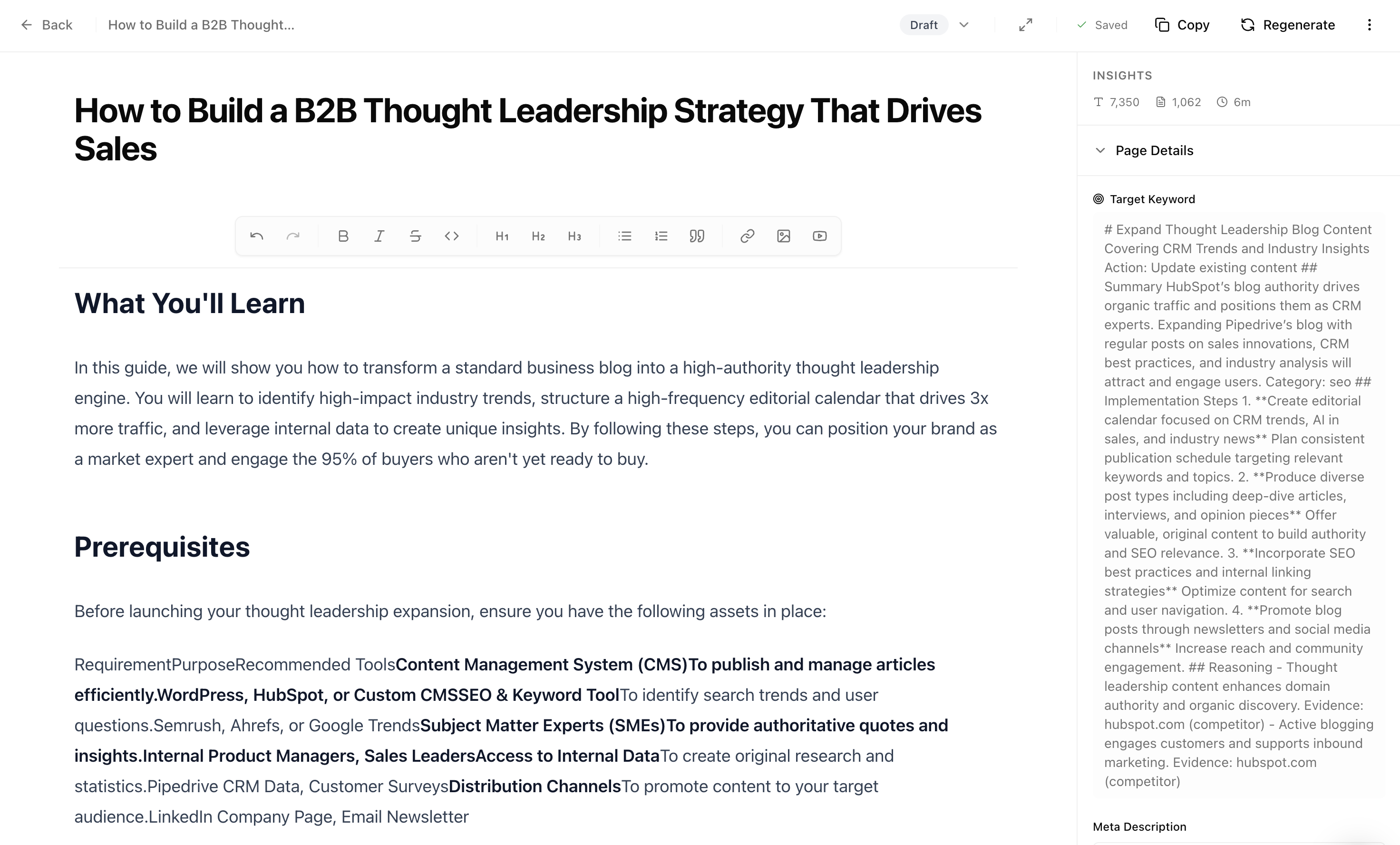
4
Copy and paste to your CMS
Export the final content to your website
- Cover everything competitors cover, plus more
- Add original data, examples, or insights
- Be more specific and actionable
- Structure content so AI can easily extract key points
Open Studio
Schedule and generate winning content
Step 4: Get linked from high-attribution sources
The sources with highest attribution are where AI trusts most. Look at them in your prompt results: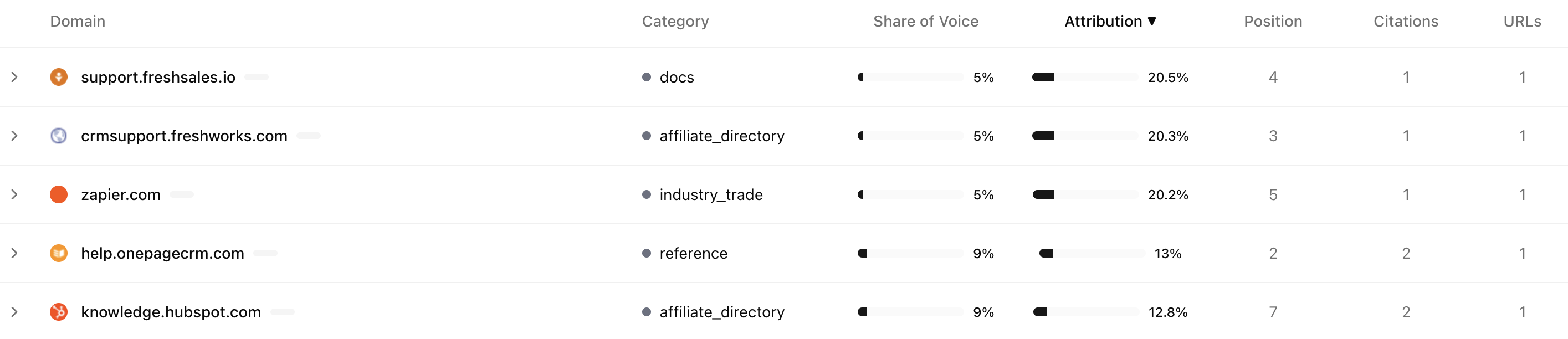
The winning checklist
Step 1: Create content in Studio
Start by creating content in Studio. This is where you plan and generate AI-optimized content.Open Studio
Create and schedule AI-optimized content
Step 2: Review improvement ideas
Check the improvement ideas in your prompt results. These are automatically synced with Studio when they make sense.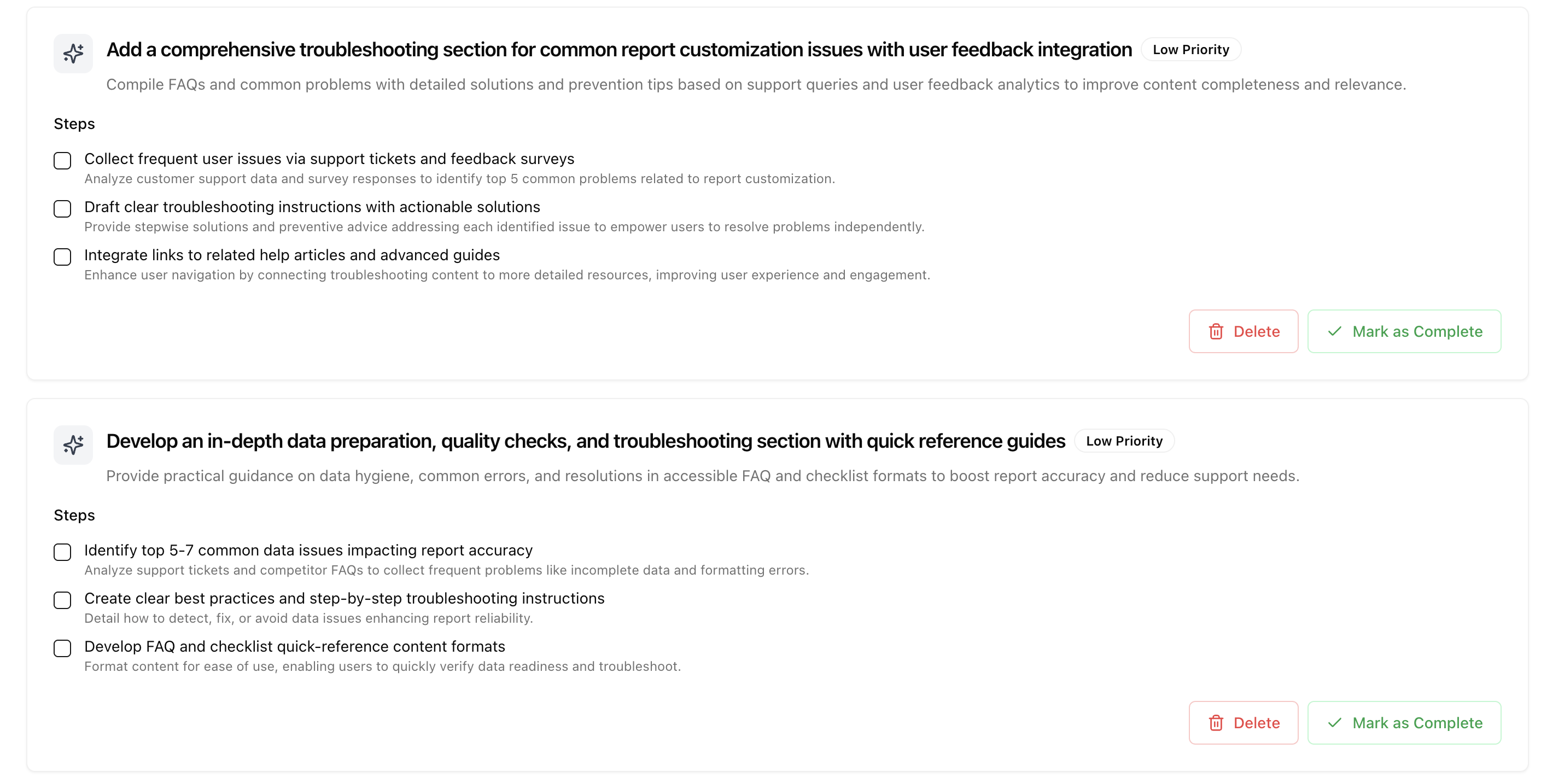
Step 3: Schedule content in Studio
If improvement ideas are not properly synced or you have other ideas, go to Studio and create scheduled content around them. We automatically plan it out so that your existing commitments are taken into account.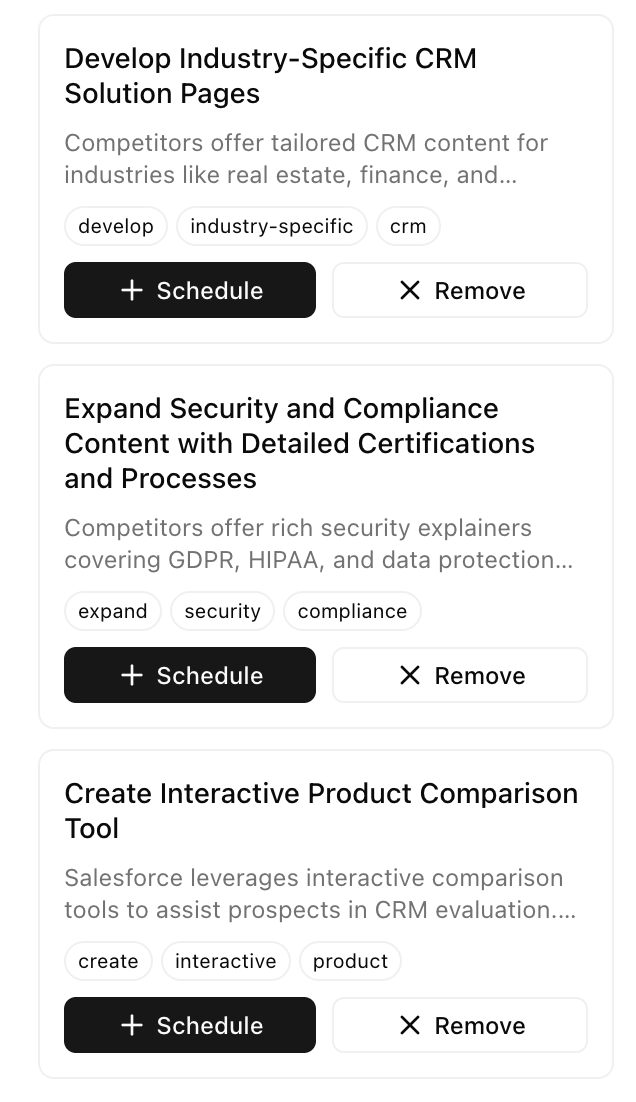
Open Studio
View and manage content recommendations
Key principles
Depth beats breadth
Depth beats breadth
AI search rewards content that thoroughly answers specific questions. One deep page beats ten shallow pages.
Bottom of funnel helps top of funnel
Bottom of funnel helps top of funnel
Detailed content about specific use cases helps you rank for broader queries too. AI connects the dots.
Attribution matters more than links
Attribution matters more than links
A single link from a high-attribution source is worth more than many links from sources AI ignores. Use the Sources view to prioritize.
Continuous improvement wins
Continuous improvement wins
AI models update their knowledge. Keep tracking your prompt results and improving based on what you learn.
Next steps
Go deeper, not broader
After optimizing for a prompt, the next step is to create more in-depth content around it. This is the fan-out strategy:- Take your current prompt
- Identify more specific queries below it
- Create content for those specific queries
- Link them together
Optimizing for broader queries above your target will not help. Going deeper and more specific will. Bottom-up content builds authority that lifts your top-level prompts.
- Go deeper: “best CRM for 10-person sales teams”, “CRM for outbound sales teams”, “CRM with sales automation”
- Do not go broader: “best business software” will not help
Open Studio
Create in-depth content around your target prompts
Monitor your progress
Track your metrics to see improvement over time:View Metrics
Monitor your AI visibility metrics
- Are your citations increasing?
- Is your share of voice growing?
- Are you appearing in more prompts?
Prompt Results
Review your current performance
Metrics
Understand what each metric means