The Billing tab is where you manage your subscription, update your payment methods, and purchase AI credits.
Plan Management
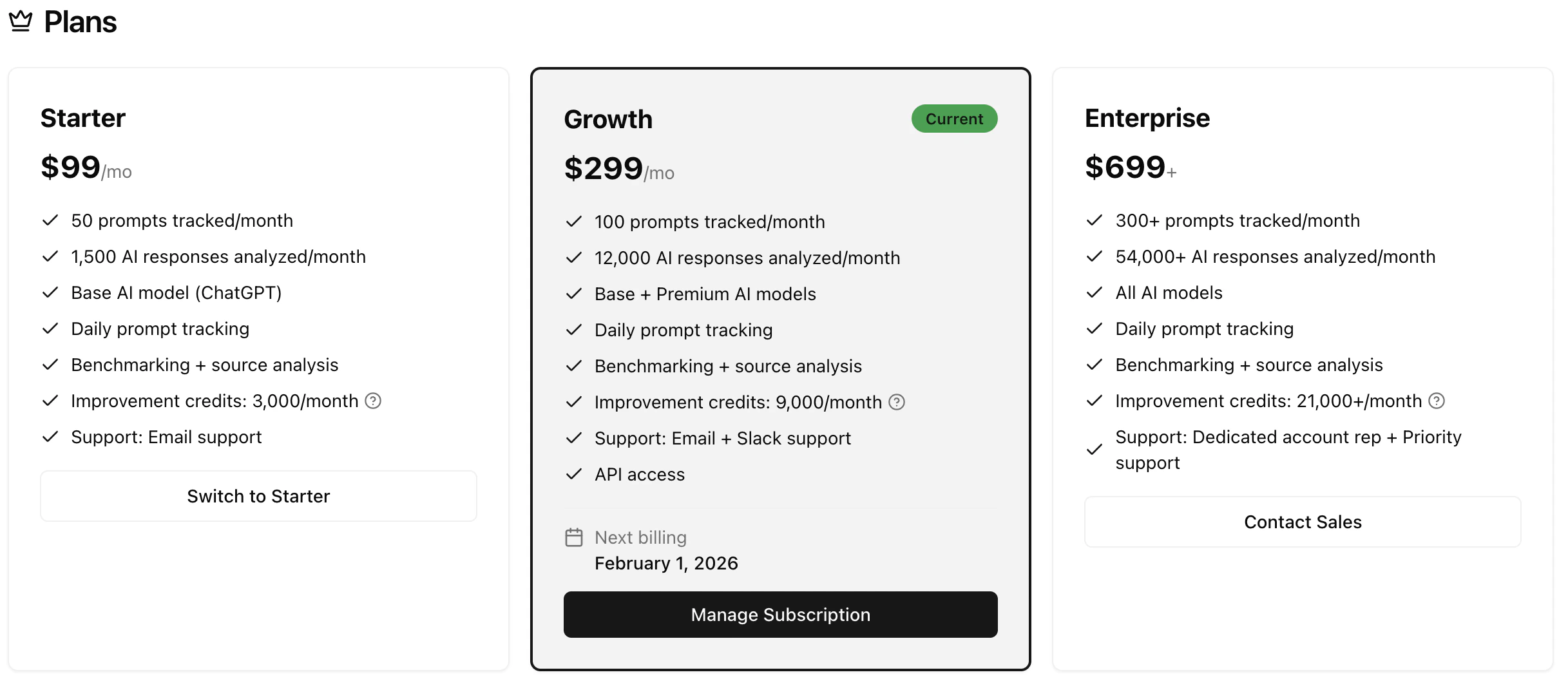
Upgrade or change your plan to match your needs.
See the Pricing page for detailed plan comparisons.
Payment Management
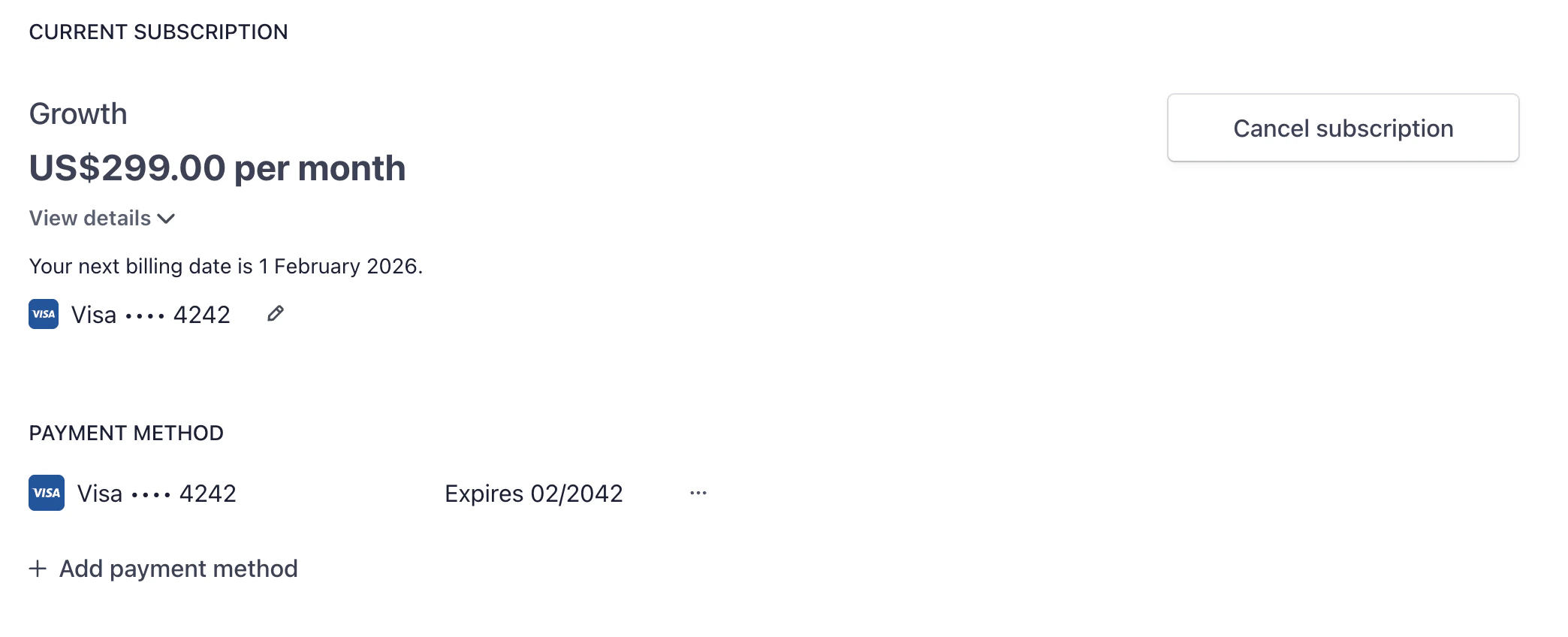
All billing is handled through Stripe. From this section, you can:
- Update your payment method
- View invoices and billing history
- Download receipts for accounting
- Manage your subscription status
Click Manage Billing to open the Stripe customer portal where you can make changes to your payment details.
AI Credits
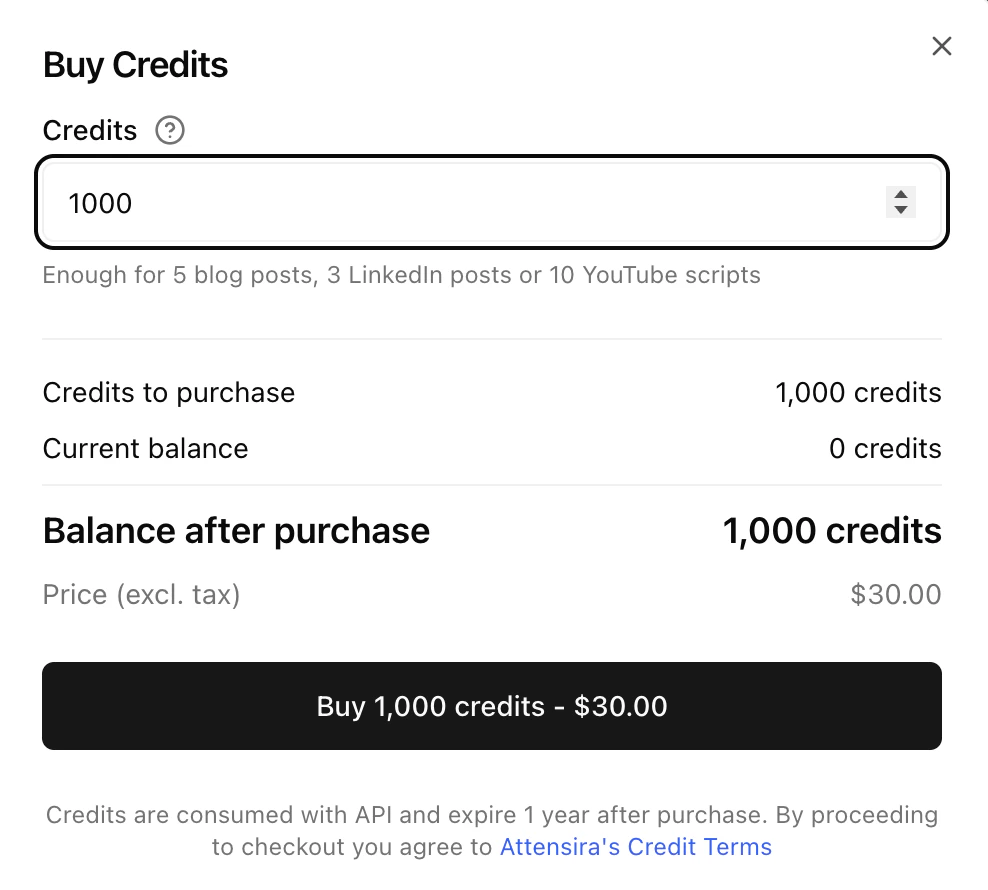
Purchase additional AI credits for content generation and improvements.
What credits are used for
- Improvement suggestions — AI-powered recommendations for prompts and pages
- Content generation — Creating optimized content
- Advanced analysis — Deeper insights and reporting
Credit costs
Your credit balance
Your plan includes a monthly credit allowance that resets each billing cycle. You can see your current balance and usage in this section.
If you need more credits, you can purchase additional credit packs. These credits are added to your balance immediately and don’t expire.
Monitor your credit usage to understand your needs. If you consistently run out, consider upgrading to a plan with more included credits.