> ## Documentation Index
> Fetch the complete documentation index at: https://docs.attensira.com/llms.txt
> Use this file to discover all available pages before exploring further.
# Defaults
> Set default geographic regions, AI models, and improvement settings in Attensira. These defaults save time when creating prompts and ensure consistency across your project.
The Defaults tab is the most important settings section. These defaults determine what values are automatically applied when you create new prompts or pages, saving you time and ensuring consistency.
***
## Locations
Set the default geographic regions for your tracking.
 By default, tracking is set to **Global**. However, if your business focuses on specific markets, you can set default locations here.
When you set default locations, we won't ask you for location information when creating new prompts — your defaults will be automatically selected.
### Example
If you set **United States** and **France** as your default locations:
* New prompts will automatically track these two countries
* You skip the location selection step when creating prompts
* You can still override these defaults on individual prompts if needed
If you operate globally, keep the default as Global. Only set specific countries if you consistently focus on the same markets.
***
## Models
Choose which AI models to track by default.
By default, tracking is set to **Global**. However, if your business focuses on specific markets, you can set default locations here.
When you set default locations, we won't ask you for location information when creating new prompts — your defaults will be automatically selected.
### Example
If you set **United States** and **France** as your default locations:
* New prompts will automatically track these two countries
* You skip the location selection step when creating prompts
* You can still override these defaults on individual prompts if needed
If you operate globally, keep the default as Global. Only set specific countries if you consistently focus on the same markets.
***
## Models
Choose which AI models to track by default.
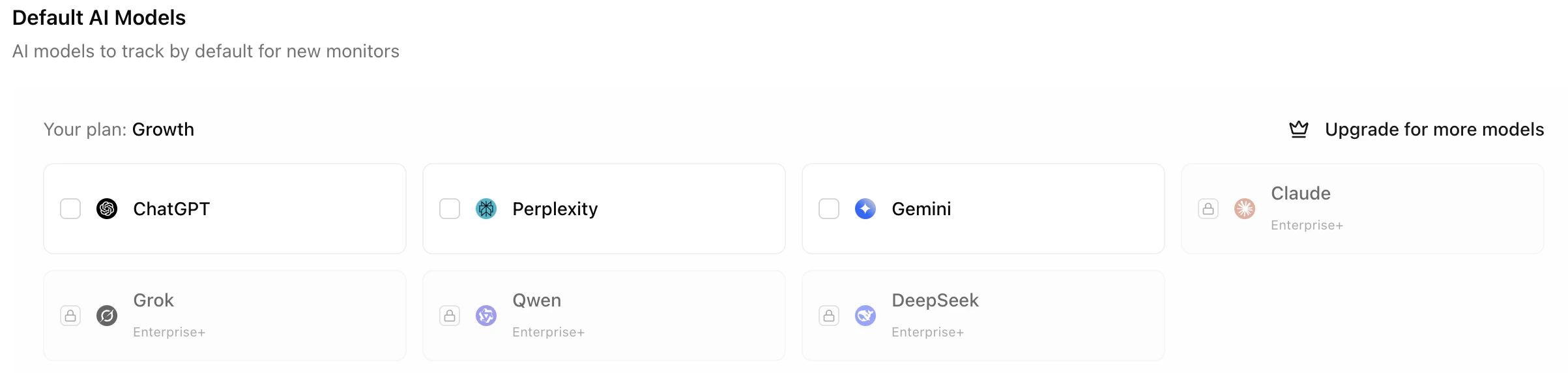 Your plan determines which models you have access to (see the [Pricing](https://attensira.com/pricing) page for details). However, you might not want to track all available models.
### Why limit models?
If your plan includes ChatGPT, Perplexity, Gemini, and Claude, but you only care about ChatGPT and Gemini, set only these two as defaults:
| Benefit | Description |
| -------------------- | ------------------------------------------------------ |
| **Better analytics** | Your data isn't diluted by models you don't care about |
| **Cost savings** | You only use credits on models that matter |
| **Faster results** | Fewer models means quicker processing |
### Example
A B2B company might focus only on ChatGPT and Perplexity because their audience primarily uses these tools for research. They disable Gemini and Claude tracking to streamline their analytics.
***
## Improvement Suggestions
Control whether AI-powered improvement suggestions are enabled by default for new prompts and pages.
Your plan determines which models you have access to (see the [Pricing](https://attensira.com/pricing) page for details). However, you might not want to track all available models.
### Why limit models?
If your plan includes ChatGPT, Perplexity, Gemini, and Claude, but you only care about ChatGPT and Gemini, set only these two as defaults:
| Benefit | Description |
| -------------------- | ------------------------------------------------------ |
| **Better analytics** | Your data isn't diluted by models you don't care about |
| **Cost savings** | You only use credits on models that matter |
| **Faster results** | Fewer models means quicker processing |
### Example
A B2B company might focus only on ChatGPT and Perplexity because their audience primarily uses these tools for research. They disable Gemini and Claude tracking to streamline their analytics.
***
## Improvement Suggestions
Control whether AI-powered improvement suggestions are enabled by default for new prompts and pages.
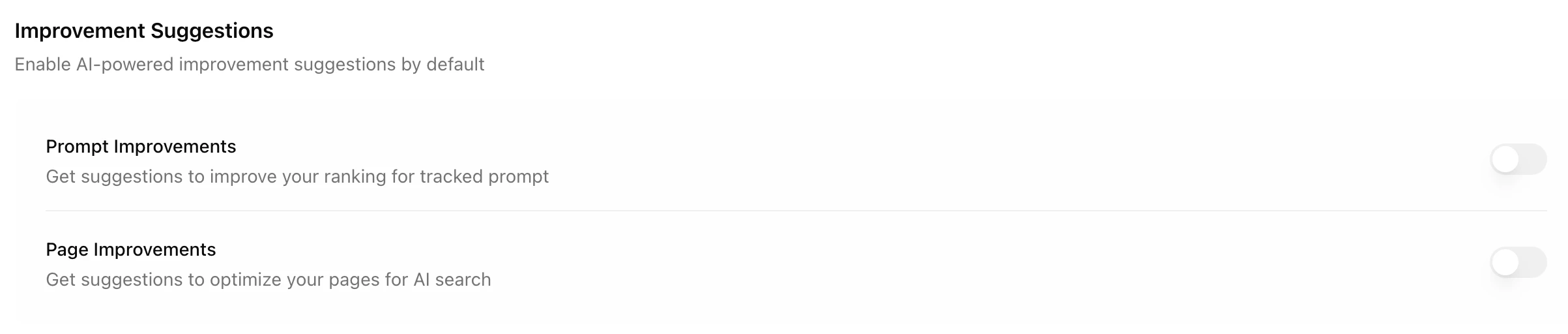 ### Credit costs
| Level | Default State | Credit Cost |
| ---------------- | ------------- | ---------------------------- |
| **Prompt level** | Off | 200 credits/month per prompt |
| **Page level** | Off | 800 credits/month per page |
### Why they're off by default
Both options are disabled by default to:
* **Save you money** — Credits are only used when you need suggestions
* **Reduce noise** — Not every prompt or page needs active improvement recommendations
### When to enable
Consider enabling improvement suggestions when:
* You want actionable recommendations for specific prompts
* You're actively optimizing a page for AI visibility
* You have credits to spare and want comprehensive insights
You can always toggle improvement suggestions on for specific prompts or pages. The defaults just control the initial state for new items.
### Purchasing credits
Your plan includes a monthly credit allowance. If you need more, you can purchase additional credits in the [Billing](/settings/billing) tab.
### Credit costs
| Level | Default State | Credit Cost |
| ---------------- | ------------- | ---------------------------- |
| **Prompt level** | Off | 200 credits/month per prompt |
| **Page level** | Off | 800 credits/month per page |
### Why they're off by default
Both options are disabled by default to:
* **Save you money** — Credits are only used when you need suggestions
* **Reduce noise** — Not every prompt or page needs active improvement recommendations
### When to enable
Consider enabling improvement suggestions when:
* You want actionable recommendations for specific prompts
* You're actively optimizing a page for AI visibility
* You have credits to spare and want comprehensive insights
You can always toggle improvement suggestions on for specific prompts or pages. The defaults just control the initial state for new items.
### Purchasing credits
Your plan includes a monthly credit allowance. If you need more, you can purchase additional credits in the [Billing](/settings/billing) tab.