> ## Documentation Index
> Fetch the complete documentation index at: https://docs.attensira.com/llms.txt
> Use this file to discover all available pages before exploring further.
# Billing
> Manage your Attensira subscription, update payment methods, view invoices, and purchase additional AI credits for content generation and optimization features.
The Billing tab is where you manage your subscription, update your payment methods, and purchase AI credits.
***
## Plan Management
Upgrade or change your plan to match your needs.
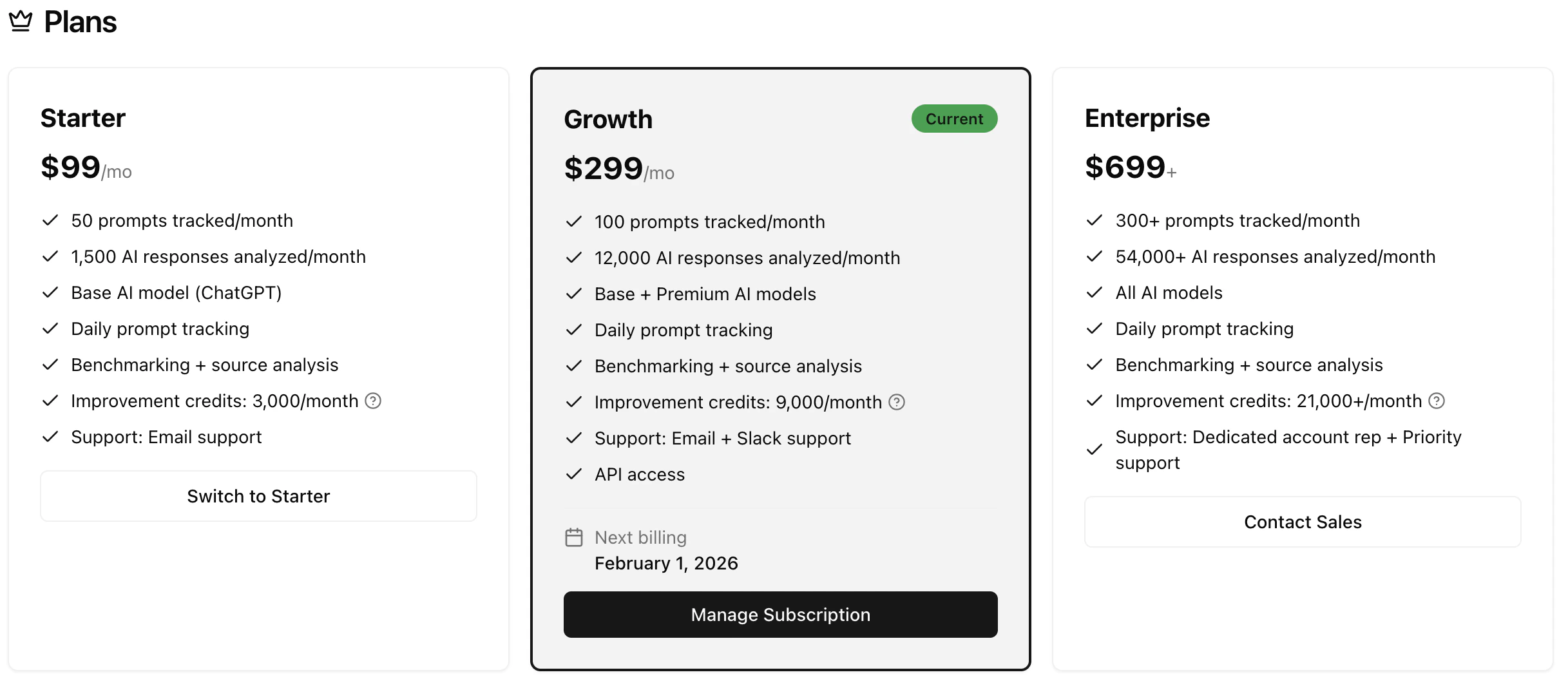 | Plan | Best for |
| -------------- | ----------------------------------------------- |
| **Startup** | Small teams getting started with AI visibility |
| **Growth** | Scaling businesses with more tracking needs |
| **Enterprise** | Large organizations requiring advanced features |
See the [Pricing](https://attensira.com/pricing) page for detailed plan comparisons.
***
## Payment Management
All billing is handled through Stripe. From this section, you can:
* Update your payment method
* View invoices and billing history
* Download receipts for accounting
* Manage your subscription status
| Plan | Best for |
| -------------- | ----------------------------------------------- |
| **Startup** | Small teams getting started with AI visibility |
| **Growth** | Scaling businesses with more tracking needs |
| **Enterprise** | Large organizations requiring advanced features |
See the [Pricing](https://attensira.com/pricing) page for detailed plan comparisons.
***
## Payment Management
All billing is handled through Stripe. From this section, you can:
* Update your payment method
* View invoices and billing history
* Download receipts for accounting
* Manage your subscription status
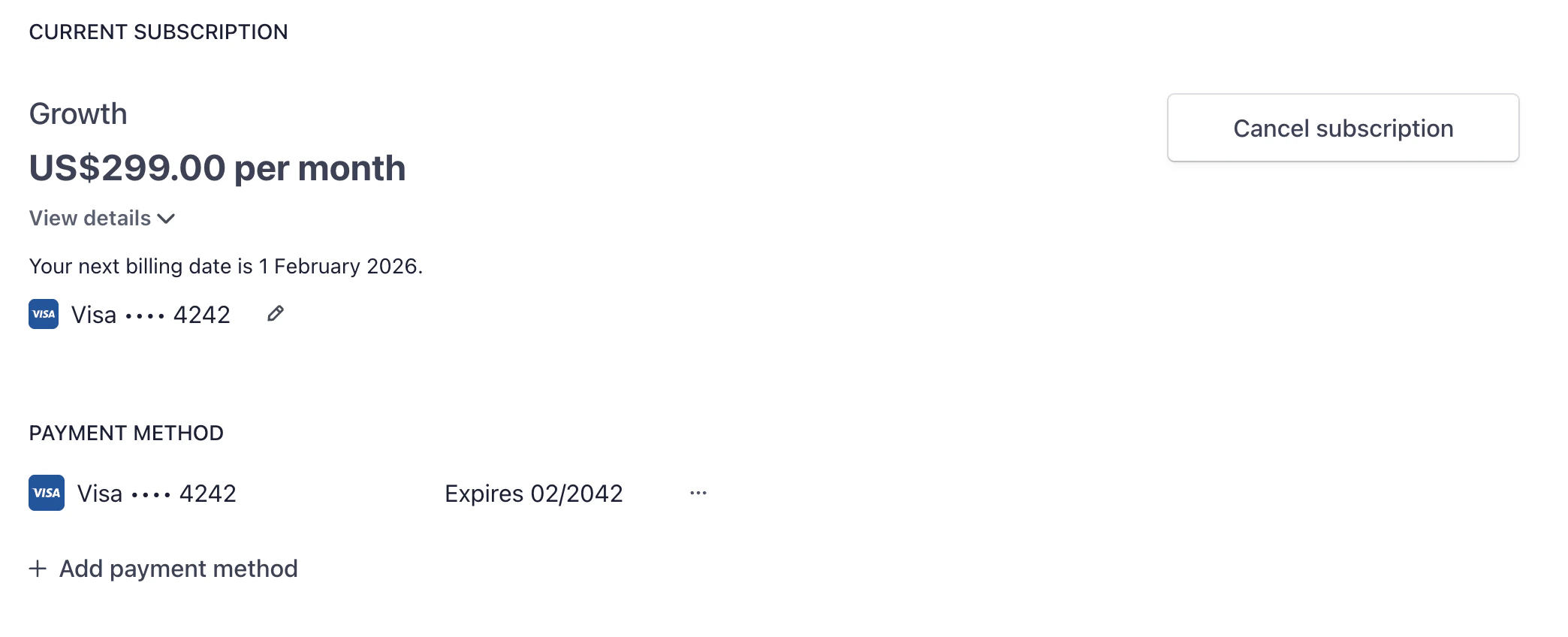 Click **Manage Billing** to open the Stripe customer portal where you can make changes to your payment details.
***
## AI Credits
Purchase additional AI credits for content generation and improvements.
Click **Manage Billing** to open the Stripe customer portal where you can make changes to your payment details.
***
## AI Credits
Purchase additional AI credits for content generation and improvements.
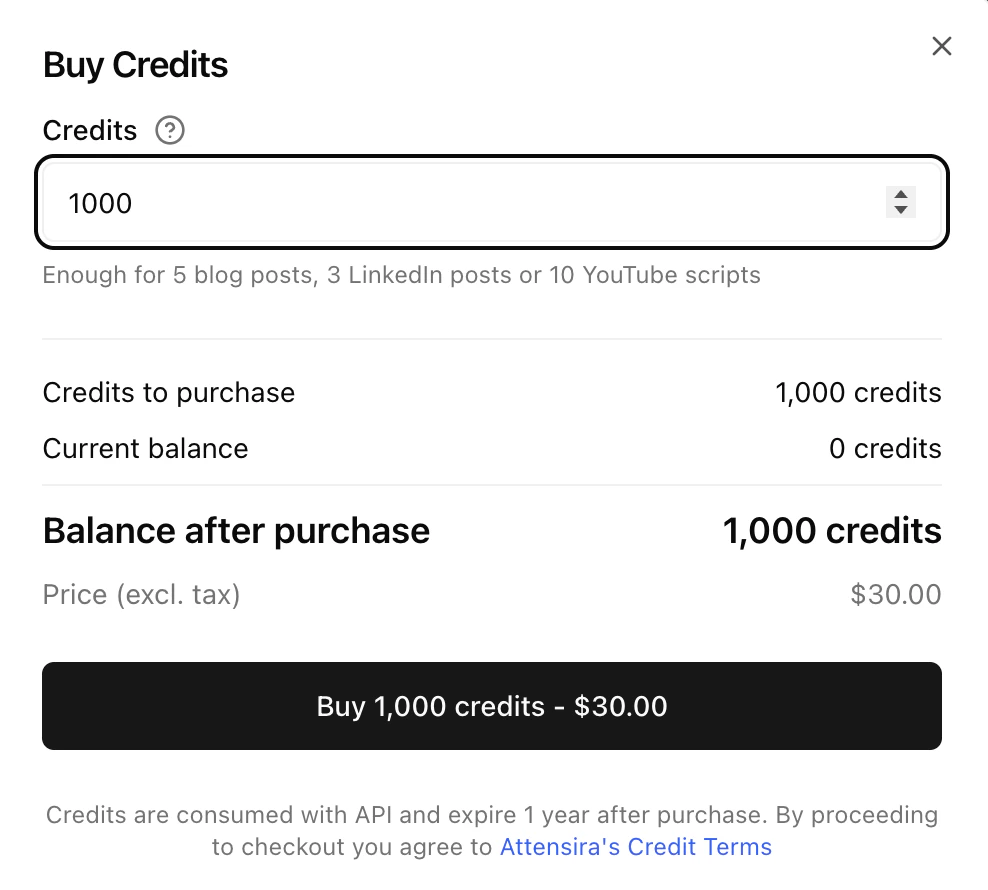 ### What credits are used for
* **Improvement suggestions** — AI-powered recommendations for prompts and pages
* **Content generation** — Creating optimized content
* **Advanced analysis** — Deeper insights and reporting
### Credit costs
| Feature | Credit Cost |
| ------------------------- | ---------------------------- |
| Prompt-level improvements | 200 credits/month per prompt |
| Page-level improvements | 800 credits/month per page |
### Your credit balance
Your plan includes a monthly credit allowance that resets each billing cycle. You can see your current balance and usage in this section.
If you need more credits, you can purchase additional credit packs. These credits are added to your balance immediately and don't expire.
Monitor your credit usage to understand your needs. If you consistently run out, consider upgrading to a plan with more included credits.
### What credits are used for
* **Improvement suggestions** — AI-powered recommendations for prompts and pages
* **Content generation** — Creating optimized content
* **Advanced analysis** — Deeper insights and reporting
### Credit costs
| Feature | Credit Cost |
| ------------------------- | ---------------------------- |
| Prompt-level improvements | 200 credits/month per prompt |
| Page-level improvements | 800 credits/month per page |
### Your credit balance
Your plan includes a monthly credit allowance that resets each billing cycle. You can see your current balance and usage in this section.
If you need more credits, you can purchase additional credit packs. These credits are added to your balance immediately and don't expire.
Monitor your credit usage to understand your needs. If you consistently run out, consider upgrading to a plan with more included credits.