> ## Documentation Index
> Fetch the complete documentation index at: https://docs.attensira.com/llms.txt
> Use this file to discover all available pages before exploring further.
# Copilot
> Use Attensira Copilot to create marketing content, get feedback on ideas, analyze your visibility data, research competitors, and crawl web pages — all powered by AI.
**Beta Feature** — Copilot is currently in beta. Features and capabilities may change as we continue to improve the experience.
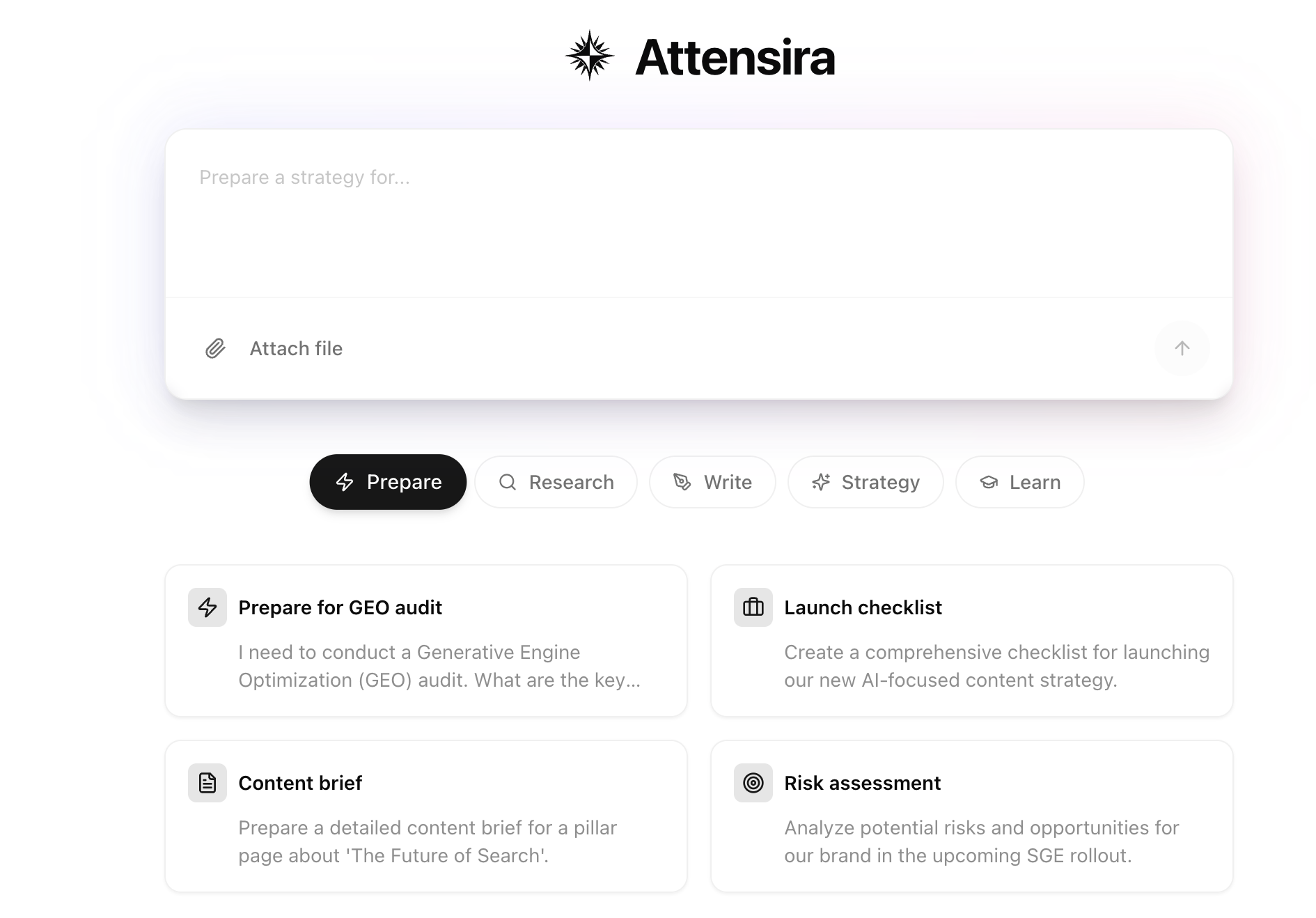
Copilot is your AI-powered marketing assistant. Create content, get feedback on ideas, ask questions about your data, research competitors, and more — all in one place.
 ***
## What can Copilot do?
Think of Copilot as a marketing teammate who knows your brand, understands your data, and can help with almost any content or research task.
Generate blog posts, LinkedIn content, ad copy, email drafts, and more
Ask if titles work, if content will perform, or how to improve copy
Ask about prompt volumes, visibility metrics, and competitor performance
Crawl web pages, analyze competitor content, and gather insights
Upload documents and images for analysis and feedback
Get formatted text output ready to copy and use anywhere
***
## Use cases
### Content creation
Create any type of marketing content on the fly:
```
"Write a blog post about why AI visibility matters for B2B companies"
"Create a LinkedIn post announcing our new feature"
"Draft a Reddit comment explaining our approach to pricing"
"Generate an email subject line for our product launch"
```
Copilot uses your brand voice and settings to generate content that sounds like you.
***
### Content feedback
Not sure if something works? Ask Copilot:
```
"Does this title look good for AI search?"
"Will this post generate good engagement on LinkedIn?"
"How can I make this headline more compelling?"
"Is this blog intro too long?"
```
Get honest feedback and specific suggestions to improve your content.
***
### Data questions
Ask about your visibility data without digging through dashboards:
```
"What are my highest volume prompts?"
"Which prompts am I not appearing in?"
"How is my sentiment compared to last month?"
"Where am I losing to Competitor A?"
```
Copilot has access to all your metrics and can surface insights instantly.
***
### Research & web crawling
Copilot can visit web pages to help with research:
```
"Visit competitor.com/features and tell me what they're highlighting"
"What topics are trending in my industry?"
"Analyze this article and tell me what makes it rank well"
"Compare these two competitor pages"
```
Web crawling lets Copilot access public web pages in real-time for analysis and research.
***
### File uploads
Upload documents or images to get feedback:
* **Documents** — PDFs, Word docs, text files
* **Images** — Screenshots, graphics, competitor visuals
* **Spreadsheets** — Data files for analysis
```
"Does this PDF match our brand guidelines?"
"What's the main message in this competitor screenshot?"
"Review this document and suggest improvements"
```
***
## Example workflow
Here's how a typical session might look:
**You:** "I need to write a LinkedIn post about our new AI visibility report"
**Copilot:** Creates a draft post tailored to your brand voice
**You:** "Make it shorter and more punchy"
**Copilot:** Revises the post to be more concise
**You:** "Does this look good for engagement?"
**Copilot:** Provides feedback and suggestions
**You:** "Perfect. Now create a Twitter thread version"
**Copilot:** Adapts the content for Twitter format
***
## Conversation history
Copilot saves your conversations so you can revisit and continue them later.
View, search, and continue past conversations
***
## Getting started
Open Copilot from the sidebar or press `⌘K` (Mac) / `Ctrl+K` (Windows) from anywhere in the app.
Start with a simple request like "Help me write a LinkedIn post about \[topic]" to see how Copilot works with your brand voice.
***
## What's next for Copilot
We're actively developing new capabilities:
* **Deeper data integration** — More insights from your visibility data
* **Team collaboration** — Share conversations with teammates
* **Workflow automation** — Connect Copilot actions to other tools
Have feedback or feature requests? Let us know — we're building this with you.
***
## What can Copilot do?
Think of Copilot as a marketing teammate who knows your brand, understands your data, and can help with almost any content or research task.
Generate blog posts, LinkedIn content, ad copy, email drafts, and more
Ask if titles work, if content will perform, or how to improve copy
Ask about prompt volumes, visibility metrics, and competitor performance
Crawl web pages, analyze competitor content, and gather insights
Upload documents and images for analysis and feedback
Get formatted text output ready to copy and use anywhere
***
## Use cases
### Content creation
Create any type of marketing content on the fly:
```
"Write a blog post about why AI visibility matters for B2B companies"
"Create a LinkedIn post announcing our new feature"
"Draft a Reddit comment explaining our approach to pricing"
"Generate an email subject line for our product launch"
```
Copilot uses your brand voice and settings to generate content that sounds like you.
***
### Content feedback
Not sure if something works? Ask Copilot:
```
"Does this title look good for AI search?"
"Will this post generate good engagement on LinkedIn?"
"How can I make this headline more compelling?"
"Is this blog intro too long?"
```
Get honest feedback and specific suggestions to improve your content.
***
### Data questions
Ask about your visibility data without digging through dashboards:
```
"What are my highest volume prompts?"
"Which prompts am I not appearing in?"
"How is my sentiment compared to last month?"
"Where am I losing to Competitor A?"
```
Copilot has access to all your metrics and can surface insights instantly.
***
### Research & web crawling
Copilot can visit web pages to help with research:
```
"Visit competitor.com/features and tell me what they're highlighting"
"What topics are trending in my industry?"
"Analyze this article and tell me what makes it rank well"
"Compare these two competitor pages"
```
Web crawling lets Copilot access public web pages in real-time for analysis and research.
***
### File uploads
Upload documents or images to get feedback:
* **Documents** — PDFs, Word docs, text files
* **Images** — Screenshots, graphics, competitor visuals
* **Spreadsheets** — Data files for analysis
```
"Does this PDF match our brand guidelines?"
"What's the main message in this competitor screenshot?"
"Review this document and suggest improvements"
```
***
## Example workflow
Here's how a typical session might look:
**You:** "I need to write a LinkedIn post about our new AI visibility report"
**Copilot:** Creates a draft post tailored to your brand voice
**You:** "Make it shorter and more punchy"
**Copilot:** Revises the post to be more concise
**You:** "Does this look good for engagement?"
**Copilot:** Provides feedback and suggestions
**You:** "Perfect. Now create a Twitter thread version"
**Copilot:** Adapts the content for Twitter format
***
## Conversation history
Copilot saves your conversations so you can revisit and continue them later.
View, search, and continue past conversations
***
## Getting started
Open Copilot from the sidebar or press `⌘K` (Mac) / `Ctrl+K` (Windows) from anywhere in the app.
Start with a simple request like "Help me write a LinkedIn post about \[topic]" to see how Copilot works with your brand voice.
***
## What's next for Copilot
We're actively developing new capabilities:
* **Deeper data integration** — More insights from your visibility data
* **Team collaboration** — Share conversations with teammates
* **Workflow automation** — Connect Copilot actions to other tools
Have feedback or feature requests? Let us know — we're building this with you.